{
  "component": "CometChatThreadedHeader",
  "package": "cometchat_chat_uikit",
  "import": "import 'package:cometchat_chat_uikit/cometchat_chat_uikit.dart';",
  "description": "A widget that displays the parent message of a thread along with a reply count, used as the header section in threaded message views",
  "primaryOutput": {
    "prop": "messageActionView",
    "type": "Widget Function(BaseMessage message, BuildContext context)?"
  },
  "props": {
    "data": {
      "parentMessage": {
        "type": "BaseMessage",
        "required": true,
        "note": "Parent message for the thread"
      },
      "loggedInUser": {
        "type": "User",
        "required": true,
        "note": "Logged in user object"
      },
      "template": {
        "type": "CometChatMessageTemplate?",
        "default": "null",
        "note": "Message template used in the thread"
      },
      "height": {
        "type": "double?",
        "default": "null",
        "note": "Height of the widget"
      },
      "width": {
        "type": "double?",
        "default": "null",
        "note": "Width of the widget"
      }
    },
    "visibility": {
      "receiptsVisibility": {
        "type": "bool?",
        "default": true
      }
    },
    "viewSlots": {
      "messageActionView": "Widget Function(BaseMessage message, BuildContext context)?"
    }
  },
  "events": [],
  "sdkListeners": [],
  "compositionExample": {
    "description": "CometChatThreadedHeader is typically used within CometChatThreadedMessages as the header component",
    "components": ["CometChatThreadedMessages", "CometChatMessageList", "CometChatMessageComposer"],
    "flow": "Parent message displayed at top → Reply count shown → Message list below with replies"
  },
  "types": {}
}

Where It Fits

CometChatThreadedHeader is a component that displays the parent message of a thread along with a reply count. It’s typically used as part of the ThreadedMessages composite component, appearing at the top of the threaded conversation view. ThreadedMessages is composed of the following widgets:
WidgetDescription
MessageListCometChatMessageList displays a list of reply messages
MessageComposerCometChatMessageComposer helps in writing and sending replies

Minimal Render

The simplest way to render CometChatThreadedHeader:
import 'package:cometchat_chat_uikit/cometchat_chat_uikit.dart';

CometChatThreadedHeader(
  parentMessage: parentMessage,  // Required: BaseMessage object
  loggedInUser: loggedInUser,    // Required: User object
)
You can also launch it using Navigator:
Navigator.push(
  context, 
  MaterialPageRoute(
    builder: (context) => CometChatThreadedHeader(
      loggedInUser: loggedInUser, 
      parentMessage: parentMessage,
    ),
  ),
);
Or embed it as a widget:
import 'package:cometchat_chat_uikit/cometchat_chat_uikit.dart';
import 'package:flutter/material.dart';

class ThreadMessages extends StatefulWidget {
  const ThreadMessages({super.key});

  @override
  State<ThreadMessages> createState() => _ThreadMessagesState();
}

class _ThreadMessagesState extends State<ThreadMessages> {
  @override
  Widget build(BuildContext context) {
    return Scaffold(
      body: SafeArea(
        child: CometChatThreadedHeader(
          loggedInUser: loggedInUser, 
          parentMessage: parentMessage,
        ),
      ),
    );
  }
}

Actions and Events

Callback Props

The CometChatThreadedHeader component does not have traditional callback props. Instead, it provides a messageActionView slot for customizing the action area.

Global UI Events

The CometChatThreadedHeader component does not produce any global UI events.

Custom View Slots

Customize the appearance of CometChatThreadedHeader by replacing default views with your own widgets.
SlotSignatureReplaces
messageActionViewWidget Function(BaseMessage message, BuildContext context)?Reply count section below the message bubble

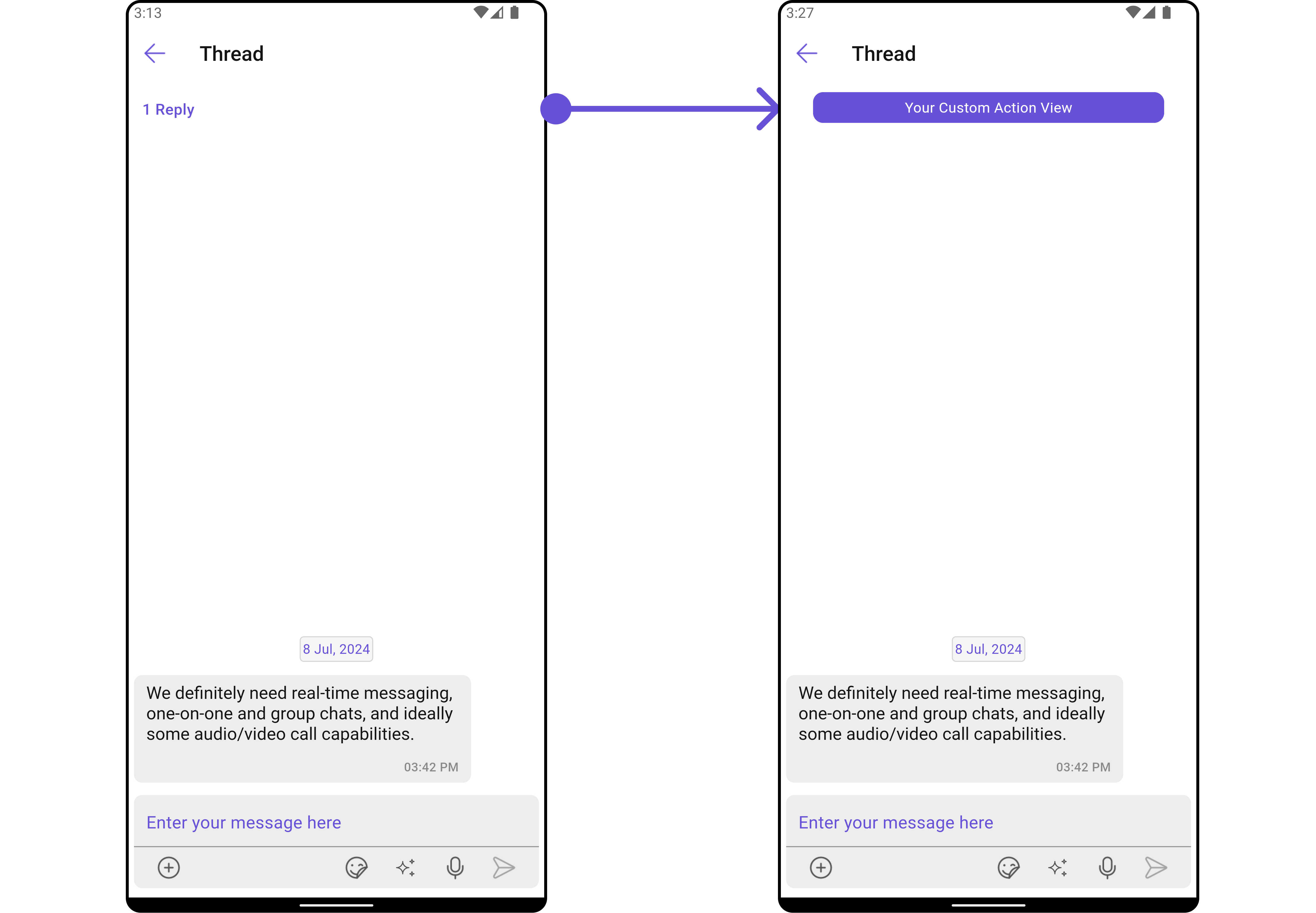
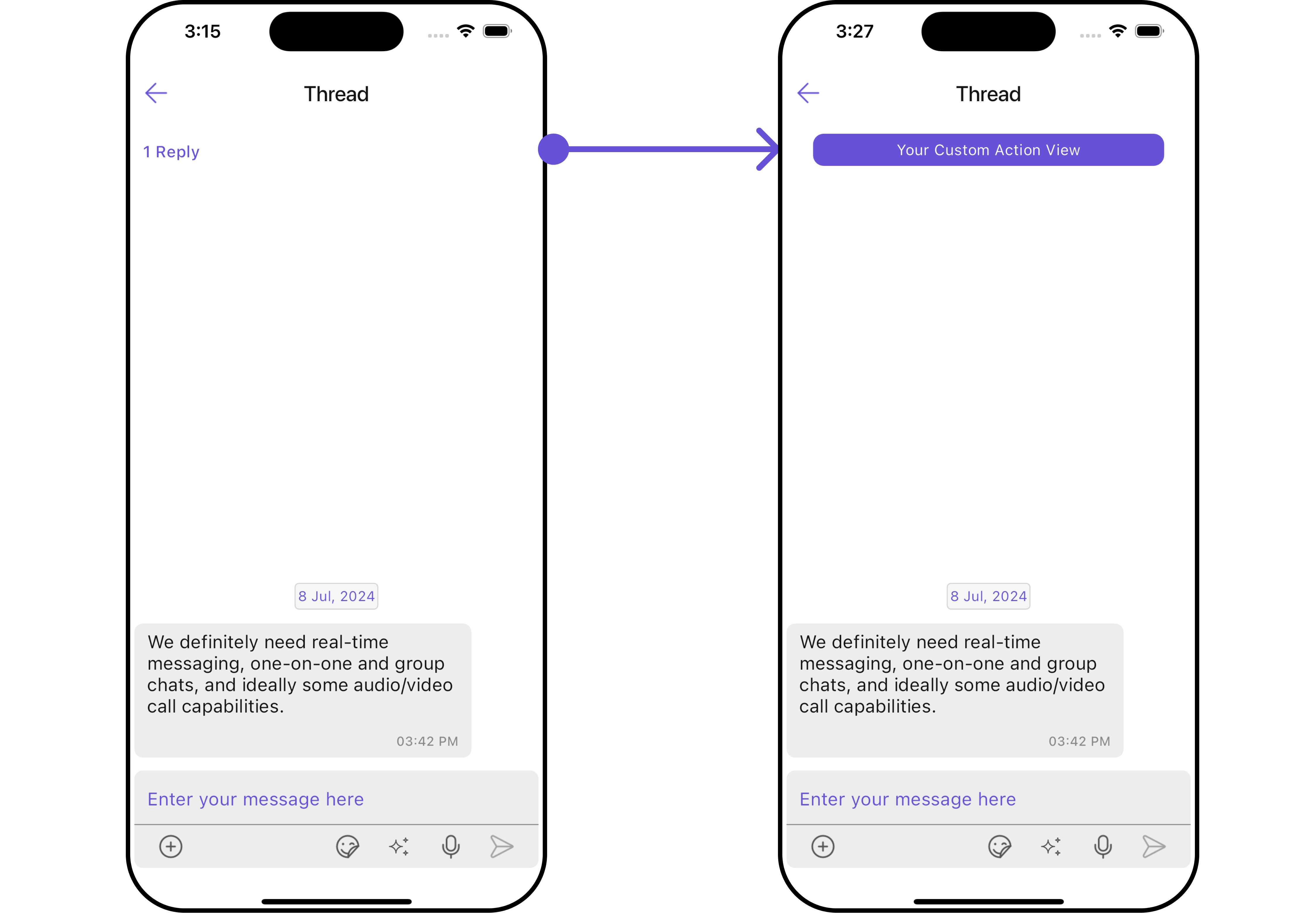
Example: Custom Message Action View

CometChatThreadedHeader(
  loggedInUser: loggedInUser,
  parentMessage: parentMessage,
  messageActionView: (BaseMessage baseMessage, BuildContext context) {
    return Container(
      width: MediaQuery.of(context).size.width / 1.2,
      margin: const EdgeInsets.all(10),
      decoration: BoxDecoration(
        color: Color(0xFF6851D6),
        borderRadius: BorderRadius.circular(10),
        border: Border.all(width: 5, color: Color(0xFF6851D6)),
      ),
      child: const Center(
        child: Text(
          "Your Custom Action View",
          style: TextStyle(color: Colors.white),
        ),
      ),
    );
  },
)
Image

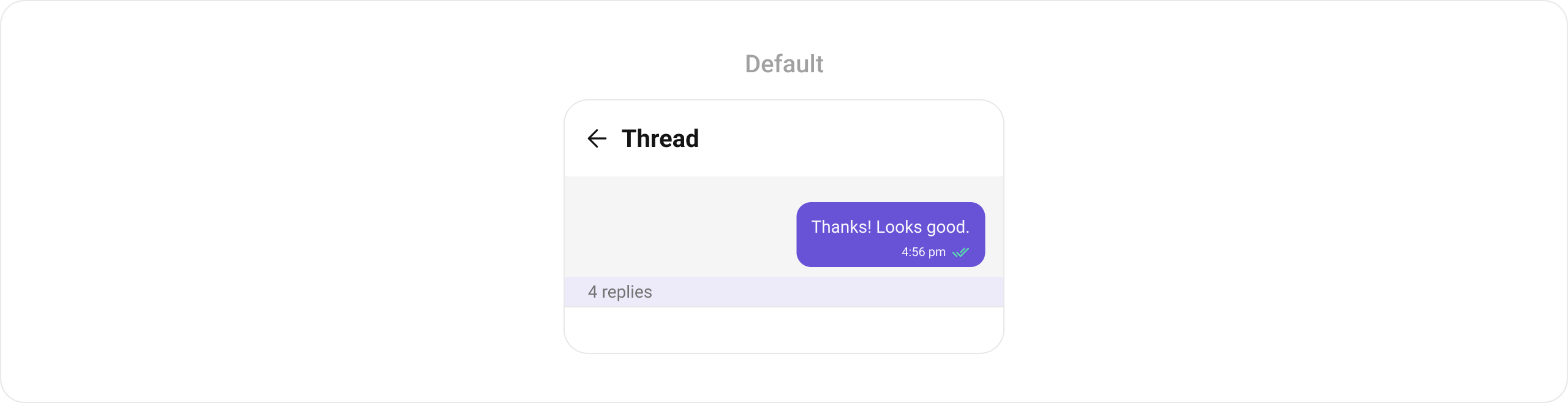
Example: Custom Reply Count with Dividers

CometChatThreadedHeader(
  parentMessage: message,
  loggedInUser: CometChatUIKit.loggedInUser!,
  style: CometChatThreadedHeaderStyle(
    bubbleContainerBackGroundColor: Color(0xFFFEEDE1),
    outgoingMessageBubbleStyle: CometChatOutgoingMessageBubbleStyle(
      backgroundColor: Color(0xFFF76808),
      borderRadius: BorderRadius.circular(12),
    ),
  ),
  messageActionView: (message, context) {
    final numberOfReplies = message.replyCount;
    String replyText = numberOfReplies == 1
        ? Translations.of(context).reply
        : Translations.of(context).replies;
    return Container(
      width: double.maxFinite,
      color: Color(0xFFFEEDE1),
      padding: EdgeInsets.symmetric(vertical: 4),
      child: Row(
        children: [
          Flexible(child: Divider(color: Color(0xFFF76808))),
          Padding(
            padding: EdgeInsets.symmetric(horizontal: 8),
            child: Text(
              "$numberOfReplies $replyText",
              style: TextStyle(
                color: Color(0xFFF76808),
                fontSize: 14,
                fontWeight: FontWeight.w400,
              ),
            ),
          ),
          Flexible(child: Divider(color: Color(0xFFF76808))),
        ],
      ),
    );
  },
)

Templates

The template prop is used to configure and set a message template for the parent message bubble. It allows for dynamic customization of message appearance, content, or other predefined settings based on the template provided.
CometChatThreadedHeader(
  parentMessage: parentMessage,
  loggedInUser: loggedInUser,
  template: CometChatMessageTemplate(
    type: MessageTypeConstants.text,
    category: MessageCategoryConstants.message,
    // Custom template configuration
  ),
)

Styling

Customize the appearance of CometChatThreadedHeader using CometChatThreadedHeaderStyle.
CometChatThreadedHeader(
  parentMessage: parentMessage,
  loggedInUser: loggedInUser,
  style: CometChatThreadedHeaderStyle(
    bubbleContainerBackGroundColor: Color(0xFFFEEDE1),
    countTextColor: Colors.purple,
    countContainerBackGroundColor: Colors.grey[100],
    incomingMessageBubbleStyle: CometChatIncomingMessageBubbleStyle(
      backgroundColor: Colors.grey[200],
    ),
    outgoingMessageBubbleStyle: CometChatOutgoingMessageBubbleStyle(
      backgroundColor: Color(0xFFF76808),
      borderRadius: BorderRadius.circular(12),
    ),
  ),
)

Style Properties

PropertyTypeDescription
bubbleContainerBackGroundColorColor?Background color for the bubble container
bubbleContainerBorderBoxBorder?Border for the bubble container
bubbleContainerBorderRadiusBorderRadiusGeometry?Border radius for the bubble container
countTextStyleTextStyle?Text style for the reply count
countTextColorColor?Color for the reply count text
countContainerBackGroundColorColor?Background color for the count container
countContainerBorderBoxBorder?Border for the count container
constraintsBoxConstraints?Constraints for the message container
incomingMessageBubbleStyleCometChatIncomingMessageBubbleStyle?Style for incoming message bubble
outgoingMessageBubbleStyleCometChatOutgoingMessageBubbleStyle?Style for outgoing message bubble

Props Reference

PropTypeDefaultDescription
parentMessageBaseMessageRequiredParent message for the thread
loggedInUserUserRequiredLogged in user object
messageActionViewFunction(BaseMessage, BuildContext)?nullCustom action view for the message
styleCometChatThreadedHeaderStyle?nullStyle parameter for the threaded header
templateCometChatMessageTemplate?nullMessage template used in the thread
heightdouble?nullHeight of the widget
widthdouble?nullWidth of the widget
receiptsVisibilitybool?trueControls visibility of receipts